
.png)
Description
Download AudioNotes ai – Free AI Speech‑to‑Text Tool for Windows, Mac, Android & iOS
Introduction: Why AudioNotes ai Is Gaining Momentum
In today’s fast‑paced digital environment, turning spoken ideas into written notes quickly and accurately is more valuable than ever. AudioNotes ai, a web‑based speech‑to‑text solution from Novikov Studio, LLC, leverages modern deep‑learning models to deliver fast, reliable transcriptions that can be customized on the fly. Unlike classic dictation software that simply types what it hears, AudioNotes ai adds an intelligent layer: it can auto‑detect the language you’re speaking, summarize long recordings into concise bullet points, and even reformat the output into paragraphs or structured lists. The service is free to start, with optional subscription tiers for unlimited notes and advanced export formats.
The tool’s “smart” note generation goes beyond literal transcription. It analyses context, removes filler words, and produces a clear, readable document that can be instantly shared or stored. Whether you’re a student capturing lecture highlights, a journalist interviewing a source, or a professional brainstorming ideas during a meeting, the platform promises to reduce the time spent on manual transcription by up to 80 %.
Beyond convenience, the service is built with privacy in mind. All audio files are processed over HTTPS, and the company states that recordings are not stored longer than necessary for transcription. Premium users can enable optional end‑to‑end encryption for an extra layer of security. This combination of speed, accuracy, multilingual support, and data protection makes AudioNotes ai a compelling addition to any productivity toolbox, and it explains why the tool has seen a rapid rise in adoption across educational institutions, media houses, and remote‑working teams.
Because AudioNotes ai runs entirely in the browser, it eliminates the need for bulky installers or platform‑specific binaries. Users on Windows, macOS, Linux, Android, or iOS can simply open a modern browser and start dictating. This “no‑download” approach not only saves disk space but also ensures that every device always runs the latest AI model without manual updates. For anyone looking for a flexible, secure, and cost‑effective transcription solution, AudioNotes ai offers a uniquely balanced package.
Features & Getting Started: From First Click to Finished Note
Feature Overview
- Real‑time voice dictation with one‑click mic activation.
- Automatic language detection with manual override for over 30 languages.
- Two output formats: paragraph style and bullet‑point style.
- Upload‑and‑transcribe capability for pre‑recorded audio files (MP3, WAV, OGG).
- Adjustable summary length – choose “short” for quick notes or “long” for detailed transcripts.
- Export options: plain text, PDF, DOCX, and Markdown.
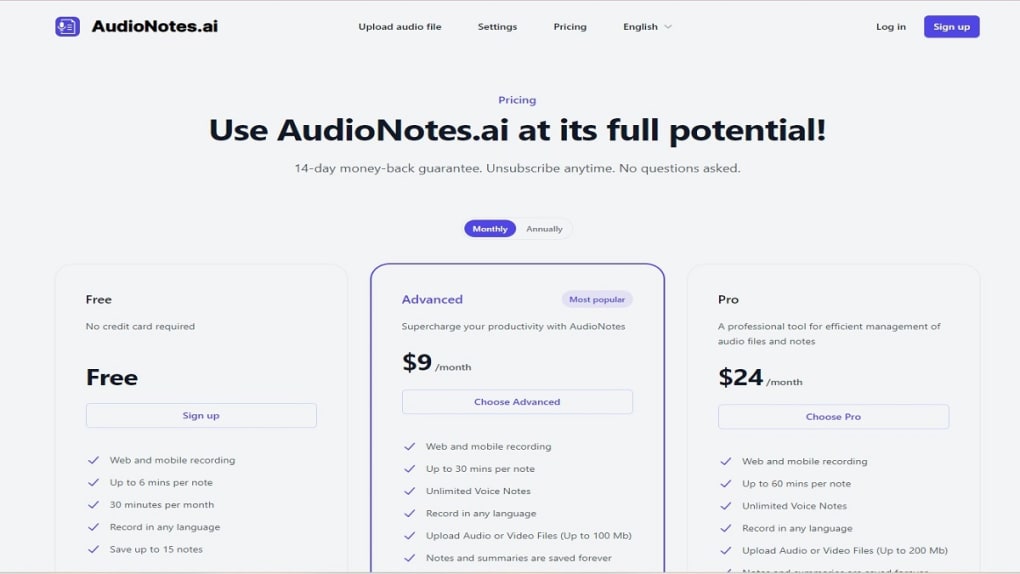
- Cloud‑based storage of up to 10 free notes per month; unlimited notes with paid plan.
- Secure HTTPS processing and optional end‑to‑end encryption for premium users.
- Integrated AI summarizer that extracts key points and highlights from lengthy recordings.
- Browser‑based progressive web‑app (PWA) support for quick home‑screen shortcuts on mobile devices.
Installation & Usage Instructions
Because AudioNotes ai is a pure web application, there is no traditional installation process. Users simply navigate to audionotes.ai using any modern browser (Chrome, Edge, Safari, or Firefox). The first time you access the site, you’ll be prompted to grant microphone permission – this is essential for the live dictation mode.
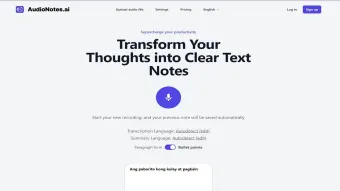
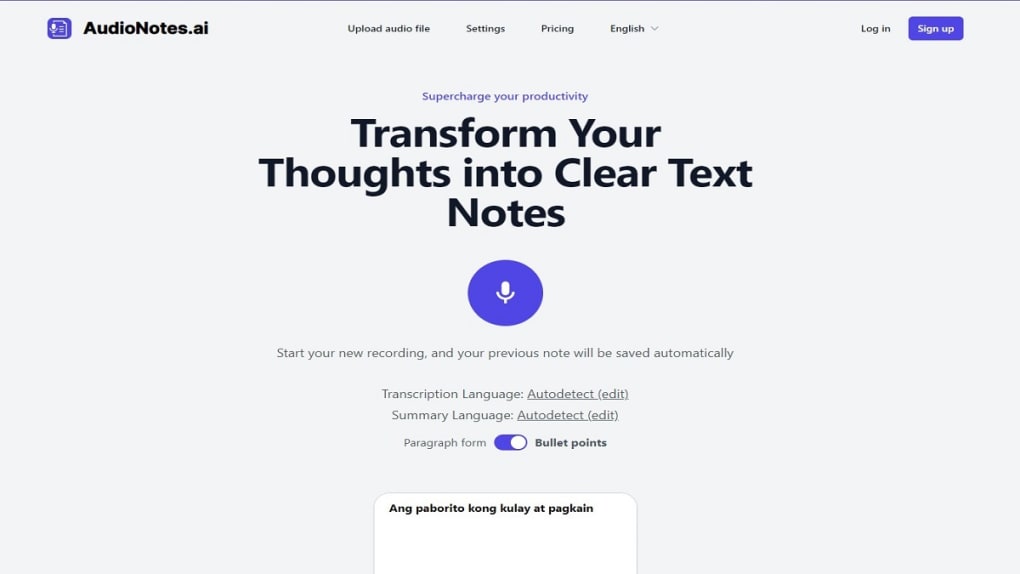
After granting permission, click the prominent red microphone button on the home screen. Speak clearly; the AI will start transcribing in real time and display the text in the preview pane. If you prefer to work with a pre‑recorded file, click the “Upload” icon, select your audio, and let the engine process it – usually within seconds for files under five minutes. For longer recordings, the platform automatically splits the audio into manageable segments to maintain accuracy.
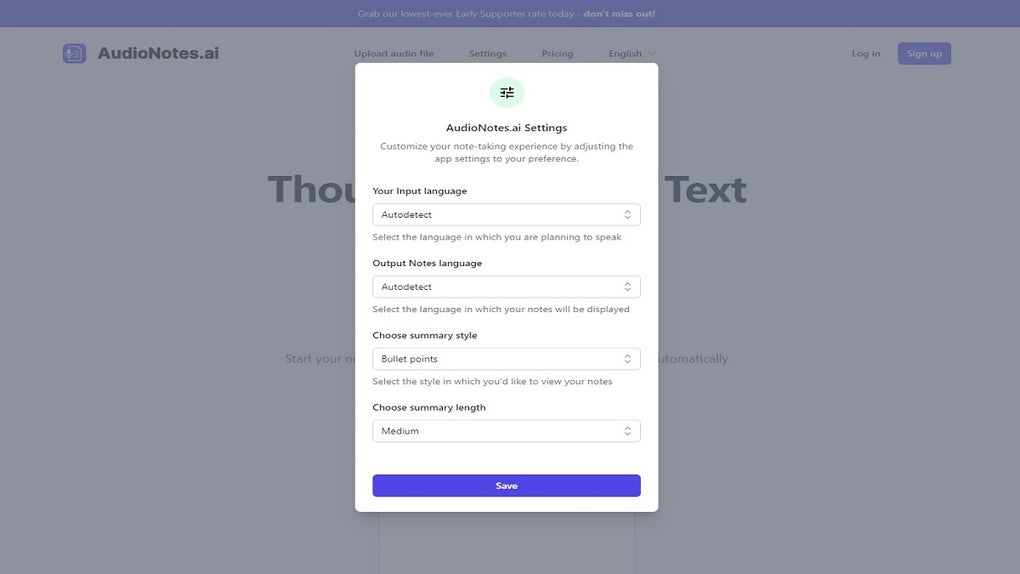
To fine‑tune the output, open the settings gear in the upper‑right corner. Here you can manually select the input language, set the desired output language, and choose the formatting style. The “Summary Length” slider lets you balance detail versus brevity, while a toggle allows you to enable or disable the AI summarizer. Once you are satisfied with the transcription, press “Export” and pick your preferred file type. The exported document can be saved locally, emailed directly from the interface, or sent to a linked cloud storage service such as Google Drive or Dropbox.
Creating a free account provides a personal dashboard where notes are listed, searchable, and can be edited post‑generation. Premium subscribers gain access to unlimited storage, batch uploads, priority processing during peak traffic, and the optional end‑to‑end encryption feature. For mobile users, adding the site to the home screen creates a lightweight app‑like shortcut, enabling one‑tap access without opening a full browser window.
Overall, the onboarding experience is designed to be frictionless: a single click to start dictating, a few optional settings for power users, and an instant export button for rapid workflow integration. This simplicity is a core reason why many users adopt AudioNotes ai as their go‑to transcription companion.
Compatibility, Pros & Cons: How It Stacks Up Across Devices
Platform Compatibility
AudioNotes ai runs entirely in the browser, making it compatible with Windows 10/11, macOS 10.15+, Linux distributions, as well as mobile operating systems Android 8+ and iOS 13+. Because the service is web‑based, there is no need for separate desktop or mobile apps, though a progressive web‑app (PWA) shortcut can be added to a device’s home screen for faster access. The platform follows responsive design principles, ensuring that the interface adapts gracefully to both large monitors and small smartphone screens. This cross‑platform flexibility means you can start a transcription on a laptop, switch to a tablet, and finish on a phone without losing any data.
Pros
- Free tier sufficient for occasional users and students.
- Instant language detection supports multilingual environments.
- Customizable output formats cater to different workflow needs.
- No software download – works on any device with a modern browser.
- Secure HTTPS processing and clear privacy policy.
- AI summarizer extracts key points automatically, saving editing time.
- Progressive web‑app shortcut provides app‑like experience on mobile.
- Export options include PDF, DOCX, and Markdown for easy integration.
Cons
- Transcription accuracy drops with heavy background noise or low‑quality recordings.
- Free account limits notes to ten per month, which may be restrictive for power users.
- Advanced features (batch upload, encryption) require a paid subscription.
- No offline mode – an internet connection is mandatory for every transcription.
- Browser‑based processing can be slower on older devices or weak network connections.
Overall rating: 4 out of 5 stars – a solid choice for anyone needing quick, AI‑enhanced notes without the hassle of installing dedicated software.
FAQ: Answers to the Most Common Questions About AudioNotes ai
Is AudioNotes ai truly free to use?
Yes, the core dictation and transcription features are free. The free tier allows up to ten notes per month and basic export formats. Premium plans unlock unlimited notes, batch uploads, and extra security options.
Can I transcribe recordings in languages other than English?
Absolutely. AudioNotes ai supports more than 30 languages for both input and output. The system auto‑detects the spoken language, but you can also manually select it in the settings.
How accurate is the transcription when the audio is noisy?
The AI model performs best with clear speech and minimal background noise. In noisy environments, accuracy may drop, so using a high‑quality microphone or cleaning the audio before upload improves results.
Do my recordings get stored on AudioNotes ai servers?
Recordings are processed in memory and deleted shortly after the transcription is completed. Premium users can enable end‑to‑end encryption, ensuring that even temporary storage is protected.
Is there a mobile app for AudioNotes ai?
There is no native app yet, but the web interface works flawlessly on Android and iOS browsers. Users can add a shortcut to their home screen, effectively turning the site into a lightweight app.
Can I edit the transcription after it’s generated?
Yes. Once a note appears in your dashboard, you can click the “Edit” button to modify the text, adjust formatting, or add additional comments before exporting.
Conclusion: Should You Download AudioNotes ai?
AudioNotes ai delivers a compelling mix of AI‑driven transcription, multilingual support, and flexible formatting—all without requiring a download or installation. For students, professionals, and casual users who need to turn speech into clear, editable text quickly, the free tier offers more than enough functionality to get started. While power users may eventually need a subscription for unlimited notes and advanced security, the baseline experience is solid, secure, and easy to access from any device.
Ready to streamline your note‑taking workflow? Download AudioNotes ai now and start converting voice to text in seconds.
Guides & Tutorials for AudioNotes ai
How to install AudioNotes ai
- Click the Preview / Download button above.
- Once redirected, accept the terms and click Install.
- Wait for the AudioNotes ai download to finish on your device.
How to use AudioNotes ai
This software is primarily used for its core features described above. Open the app after installation to explore its capabilities.
User Reviews for AudioNotes ai 0
No reviews found




